Capture storyboard angles on recce on your tablet, compare versions during prep, and export for review — arrive on set prepared. From pre-production, through shooting, to post.

A creative filmmaker's tool for developing your vision and tracking every shot as it evolves — from first idea versions, to final decisions on set.
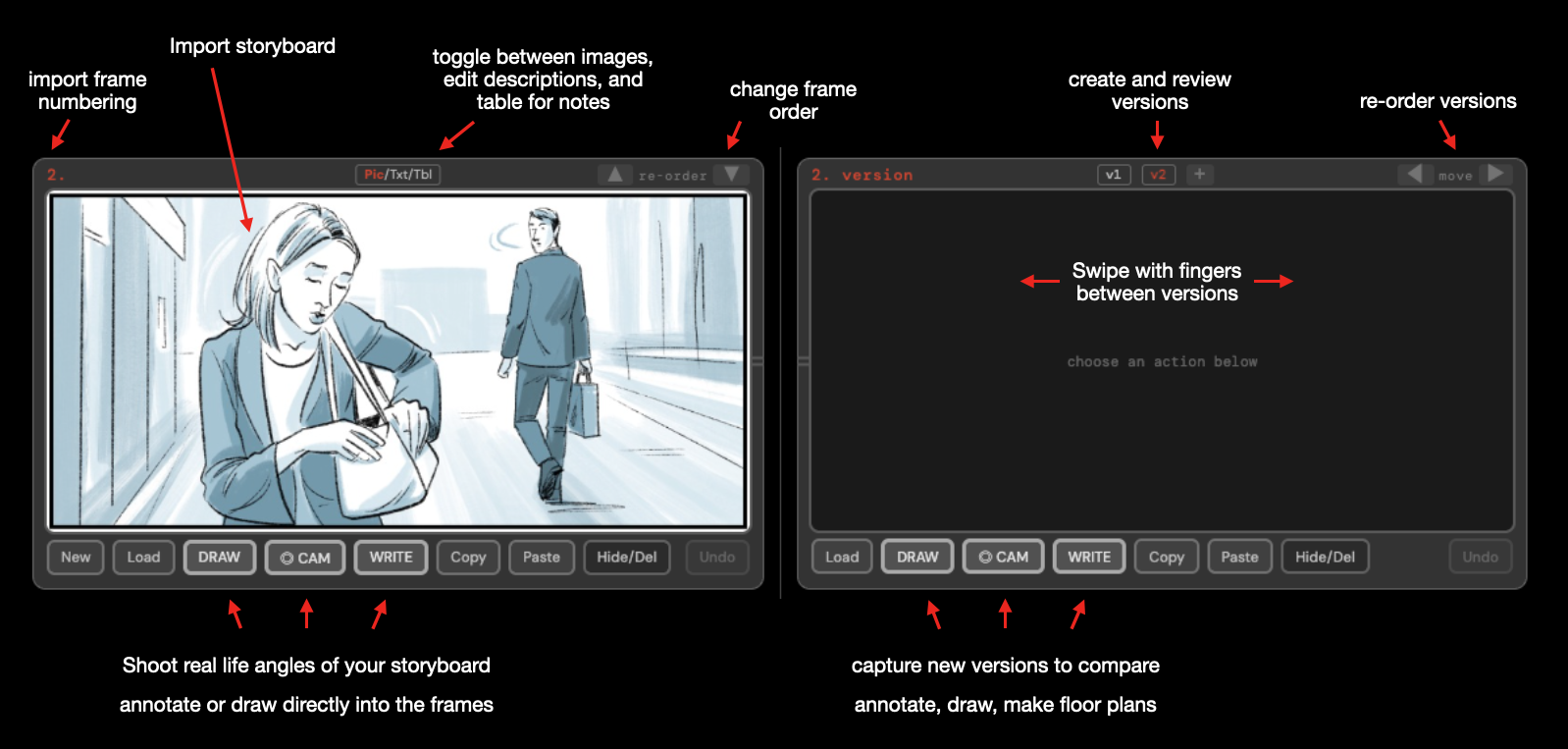
Framehow in action — storyboard import, version tracking, camera capture, annotations

Get started in seconds:

iPhone / iPad

  1. Click below to open the App
  2. Tap Share → Add to Home Screen

Desktop

  1. Click below to open in browser (and use directly)
  2. Or add as App from browser menu to desktop
Open Framehow Beta

PDF Storyboard Import

Load a storyboard PDF and Framehow extracts every frame automatically — labels, descriptions. Or import images.

Capture Versions

Use tablet's camera to capture your shot angles beside storyboard frames. Viewfinder with aspect ratio guide.

Version Comparison

Storyboard and versions side by side. Swipe through shot ideas, compare angles, track changes.

Draw & Annotate

Sketch directly on your frames. Mark camera moves, and notes.

Swipe Gestures

Swipe with your fingers right and left to browse through versions.

Works Everywhere

iPhone, iPad, desktop — add to home screen as an app.

Export

Export for set, so you have a full overview of what you're shooting. Take your notes and images into post.